|
 |
 |
|
|
|
||
|
|
|
FmPro Migrator Custom Dev Edition 11.86 Adds Fixed-Price Python + Django Migrations for FileMaker Pro & Visual FoxPro in the Layout Conversion Workbench. FileMaker Pro to Python + Django Conversion with the Layout Conversion Workbench The Layout Conversion Workbench built into FmPro Migrator Custom Dev Edition converts FileMaker Pro layouts, Visual FoxPro forms and Microsoft Access forms/reports into a complete, runnable Python + Django web application. Every layout becomes a set of pixel-faithful Django templates wired into Django views, forms and ORM data models, with a record navigation toolbar and query-by-example Find Requests working just like the original database. Conversions are driven by LLM task prompts instead of hard-coded conversion logic, so project-specific customizations are delivered by updating task prompts rather than writing thousands of lines of custom code. Each task receives the layout metadata, field mapping tables and naming maps for the project, which prevents naming mismatches and hallucinated identifiers in the generated code. Code Conversion Workbench - Script Conversion Code Conversion Workbench - Script Conversion
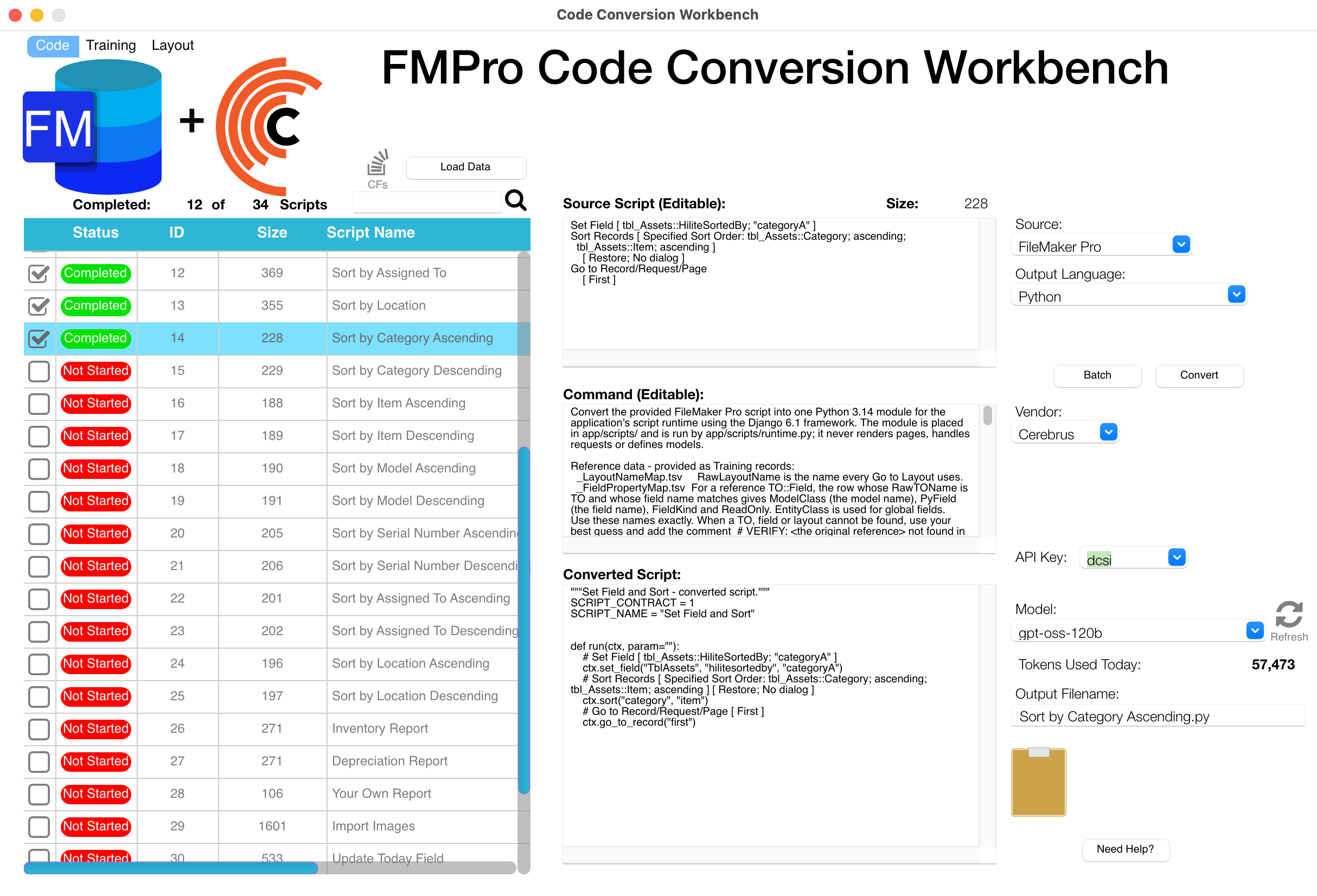
The Code Conversion Workbench in FmPro Migrator automates the conversion of FileMaker scripts and custom functions into Python modules for the Python + Django web application. This example shows the detailed conversion prompt, which references the _LayoutNameMap.tsv and _FieldPropertyMap.tsv files generated by the Layout Conversion Workbench, so every converted script uses the exact model, field and layout names of the generated application. Scripts attached to buttons in the user interface run through app/scripts/runtime.py, which provides the proper data context - the current record, found set, layout and mode - for script execution within the running app.
Layout Conversion Workbench - Development Window
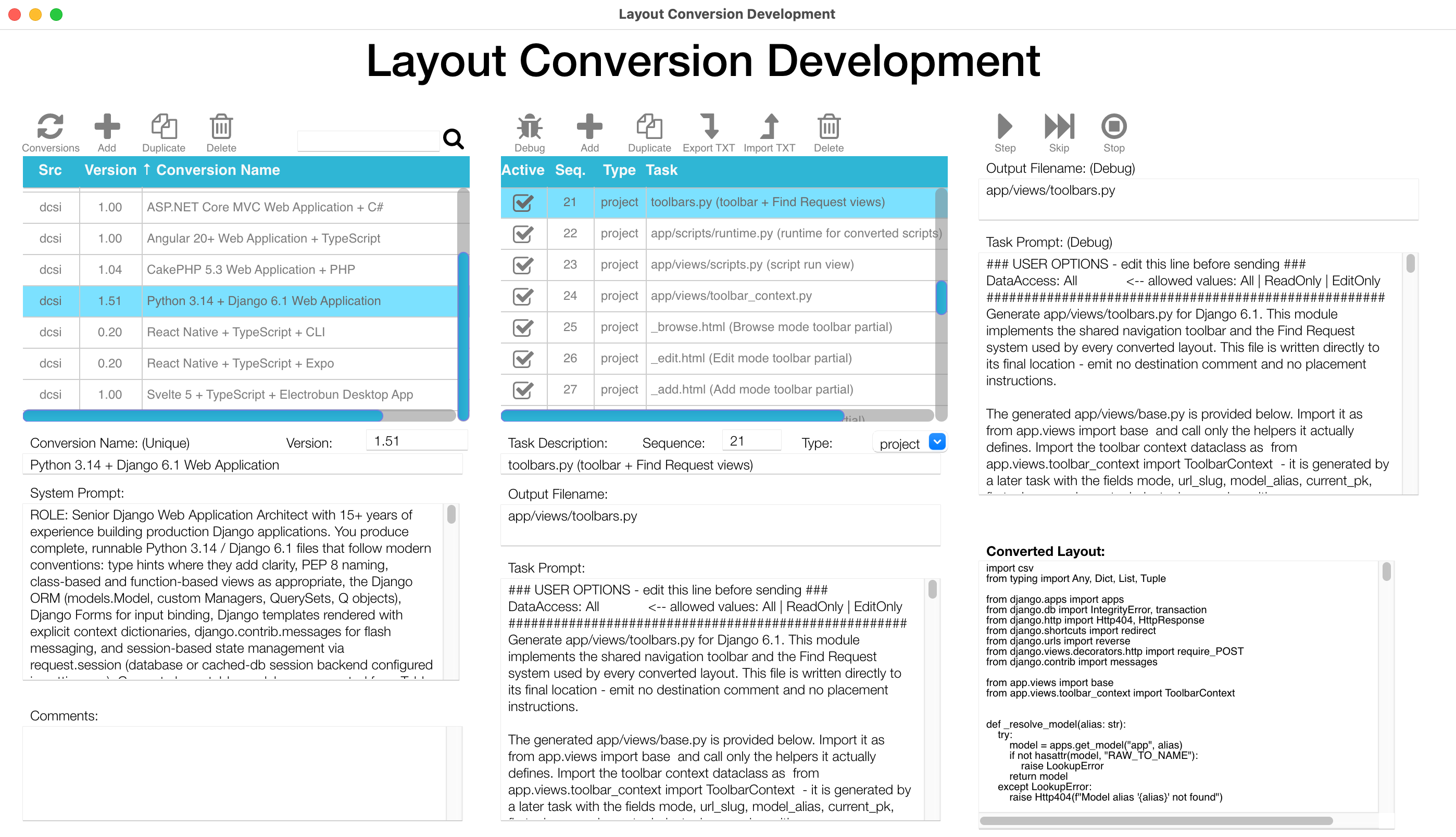
The Layout Conversion Workbench builds the user interface of the Python + Django web application from the original layouts, forms and reports. This screenshot of the Layout Conversion Development window shows the creation of the app/views/toolbars.py file, which implements the navigation toolbar. The navigation toolbar provides a menu of the converted layouts (Django templates), record navigation, create/edit/delete record operations, query-by-example searching and the saved Recent Finds feature. In debug mode, conversion tasks can be run one at a time, as shown here with Task #21 building the toolbars.py file. In normal production mode, the tasks run sequentially and automatically: the project-level tasks run once for the entire project, then the layout-level tasks run for each layout. Layouts can be converted individually or in batch mode.
FmPro Migrator Python Conversion Process
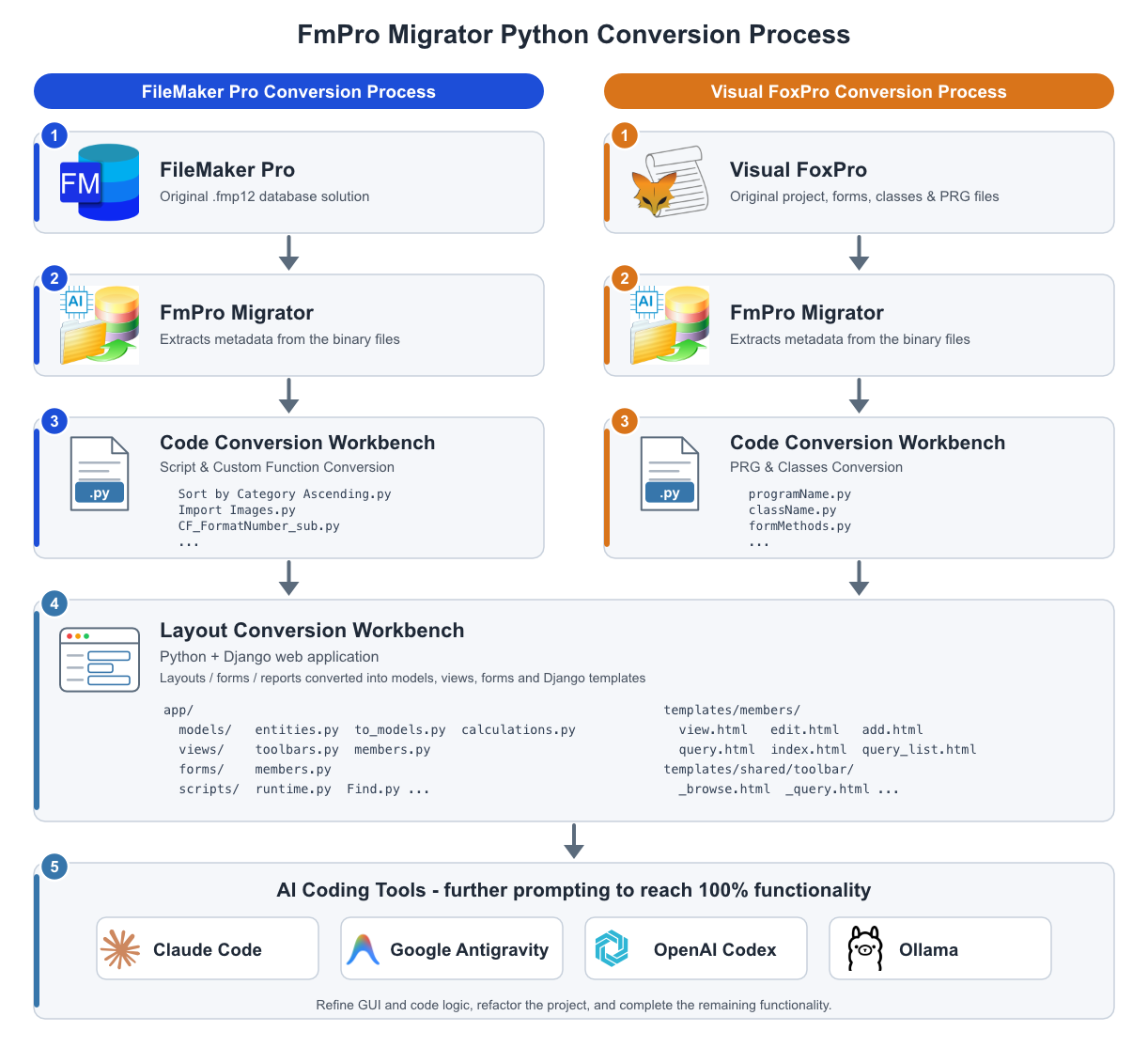
FmPro Migrator is used at the start of every conversion project to extract the metadata from the binary file formats used by FileMaker Pro (.fmp12) and Visual FoxPro solutions. The Code Conversion Workbench then converts the scripts - FileMaker scripts and custom functions, or Visual FoxPro PRG files and classes - into Python with nearly flawless accuracy. Next, the Layout Conversion Workbench converts each layout, form or report into the set of Django templates representing the operating modes of the Python + Django web application (Browse, Edit, Add, Find and record lists), with nearly pixel-perfect positioning of the objects from the original application. When the automated conversion with FmPro Migrator is complete, the entire project exists as text and image files on disk. From there, further prompting with AI coding tools such as Claude Code, Google Antigravity, OpenAI Codex or Ollama brings the GUI and code logic to nearly 100% functionality. Any project refactoring is also done during this final step.
Top 10 Features - Python + Django Conversion
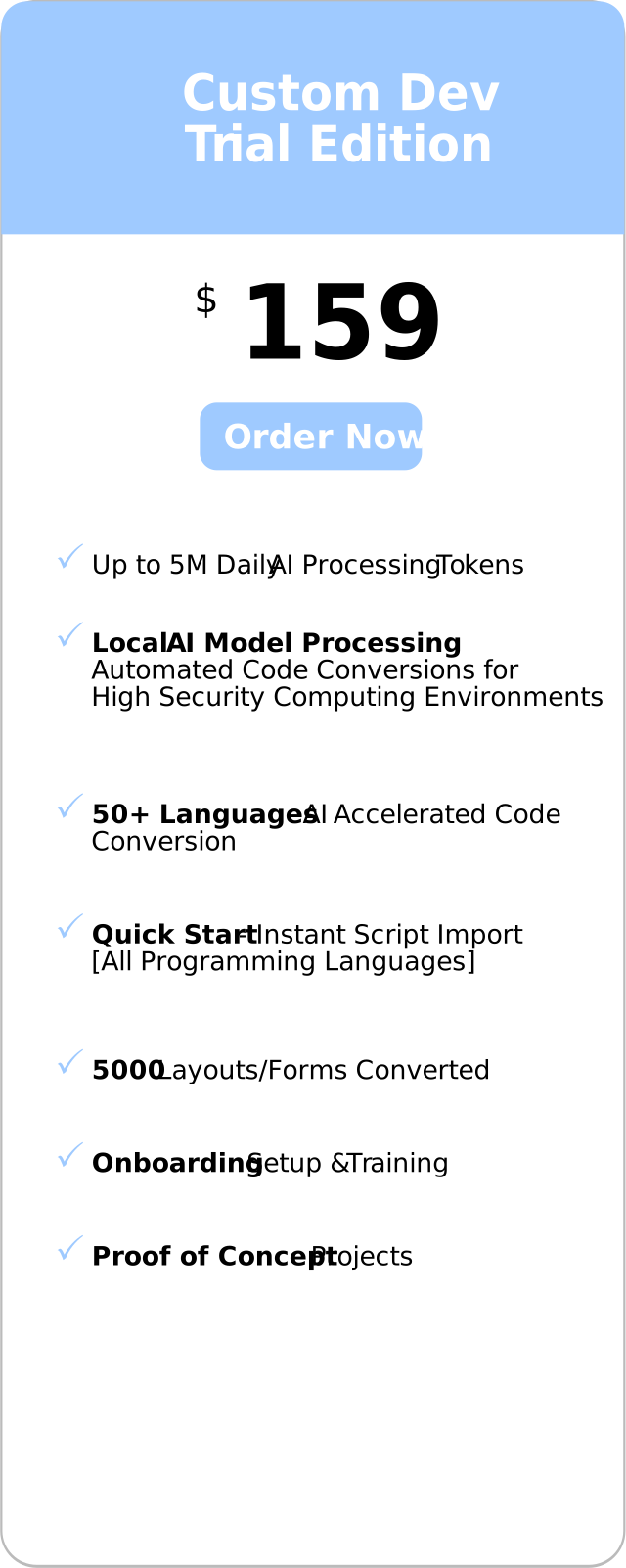
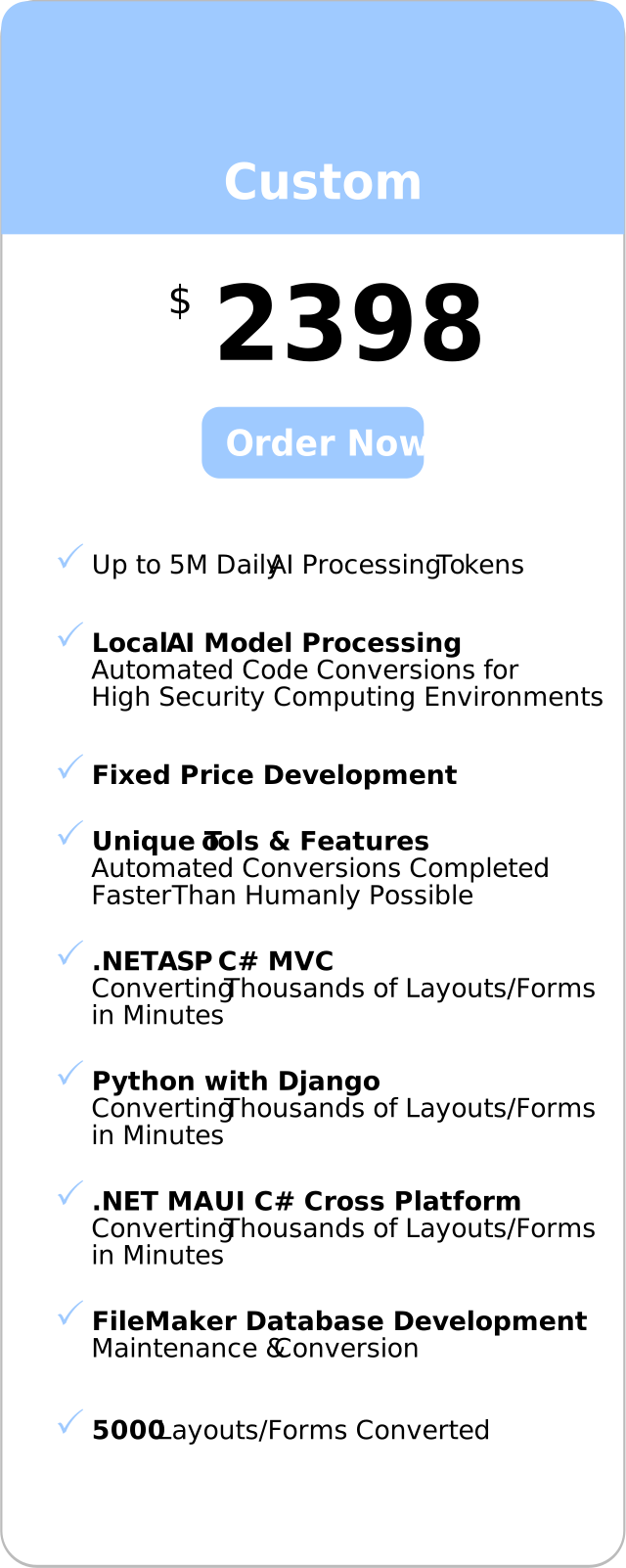
For more info please send email or call. Order FmPro Migrator Custom Dev Edition FmPro Migrator Custom Dev Edition includes the Code Conversion Workbench and Layout Conversion Workbench used for Python + Django conversions, with up to 5,000 layouts/forms converted. Start with the Custom Dev Trial Edition for a proof of concept project, or order the full Custom Dev Edition.
Description FmPro Migrator converts the binary FileMaker Pro, Visual FoxPro and Microsoft Access database files into machine-readable text files describing the value lists, scripts, tables and fields, relationships, layouts and forms/reports of the solution. This metadata becomes the single source of truth for the project - for the Layout Conversion Workbench, and for AI coding tools such as Claude Code, Cursor, OpenAI Codex and VSCode which can be used to further enhance the generated application. The Layout Conversion Workbench then processes a sequence of conversion tasks. Project tasks build the Django project, the database settings, the data models, the shared view helpers and the navigation toolbar. Layout tasks then convert each layout into its own forms module, views module and six Django templates. Because the prompt-based design is not tied to one framework, candidate target frameworks can also be compared side by side before committing to a migration path. Scale-up & Transition FileMaker to a Cloud Hosted Python Web Application Scale up desktop applications well beyond the capacity of WebDirect, save money on recurring license billing, and own all of the source code for your application, so you can customize or resell it at any time. The converted application is a standard Django project, which any Python developer can maintain and extend, and which can be hosted on any server or cloud platform supporting Python. Python is the #1 programming language on the TIOBE Index, making it easier to hire and retain developers for your application.
|
||||||||||||||||||||||||||||||||||||||||||||||||||||||||||||||||||||||||||||||||||||||||||||
Python/JavaScript Components Implemented |
|||
Name |
Status |
Cost |
Usage |
| Python | Open Source | $0 |
Programming language and runtime. |
| Django | Open Source | $0 |
Python web application framework, ORM, forms and templates. |
| SQLite | Built into Python | $0 |
Default database - no driver required. |
| psycopg | Open Source | $0 |
PostgreSQL database driver. |
| mssql-django | Open Source | $0 |
Microsoft SQL Server database driver. |
| mysqlclient | Open Source | $0 |
MySQL / MariaDB database driver. |
| jQuery | Included | $0 |
JavaScript library. |
| Font Awesome | Included | $0 |
SVG icons used on the navigation toolbar. |

The features and benefits of the automated Python + Django Conversion include:
 Fixed Price, Predictable Budget - Open-ended consulting costs have traditionally made migration budgets hard to plan. Manual web application development often costs between $1K - $5K USD per layout, and the consulting firm also needs to fully understand the inner workings of the original database application. The Custom Dev Edition is sold as a fixed-price engagement covering the automated conversion of up to 5,000 layouts, forms and reports, so even large complex projects can be delivered economically.
If you are not an experienced Python developer, you can still benefit from the conversion. You will have a functional Django web application which you can use for testing and further development, and which can be sent to a Python developer anywhere in the world for further enhancement. The developer can immediately start working with a functioning application - reducing costly typos and other errors.
|
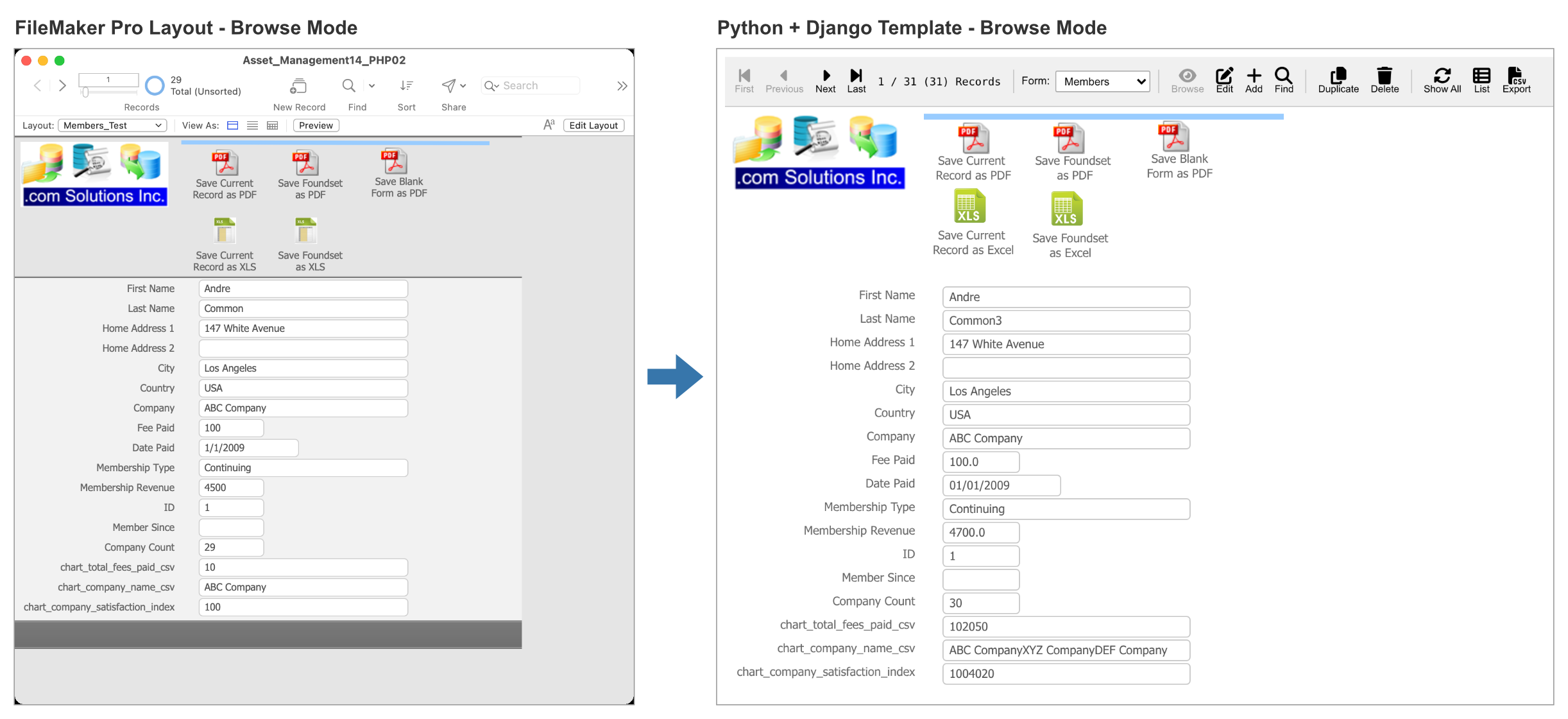
Each FileMaker Pro layout is converted into a Django forms module, a views module and six templates: view.html (Browse mode), edit.html, add.html, query.html (Find mode), index.html (all records list) and query_list.html (found set list). Every layout object becomes an absolutely-positioned element using the exact coordinates, fonts, colors, borders, alignment and z-order of the original layout, so the converted forms look and feel familiar to your users. Converted layout objects include fields, text labels, merge fields, layout symbols, images, lines, rectangles, ovals, buttons, button bars, tab controls, slide controls, popovers, portals and web viewers. Value list menus, checkboxes and radio button groups use the original value lists, and plain text tooltips become title attributes. Container fields are displayed as images scaled to fit the field, and other file types are offered as a download link. |
Navigation Toolbar & Find Requests
|
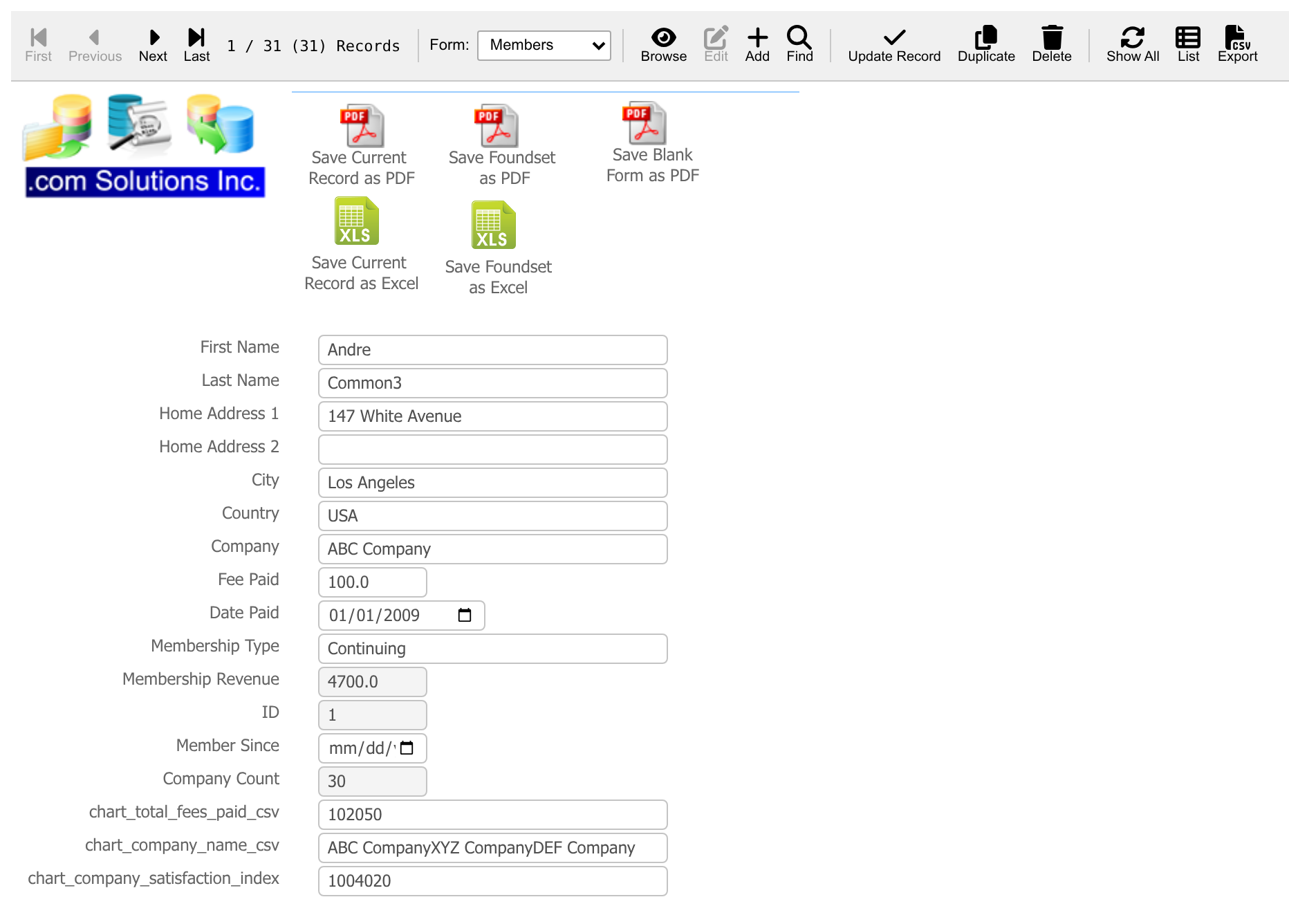
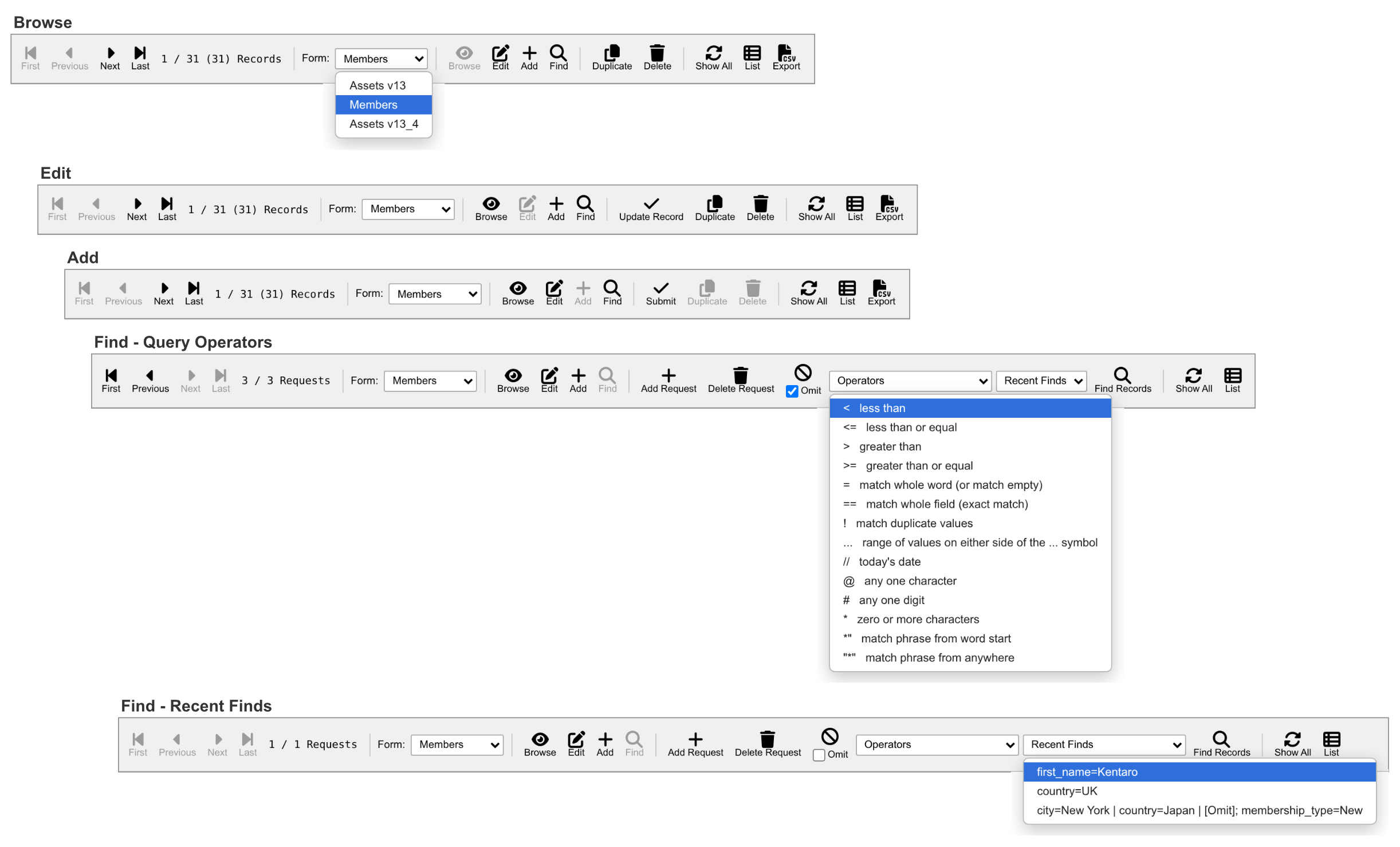
The navigation toolbar provides record navigation, form navigation and mode switching for the generated Django web application. Switching between the Browse, Edit, Add and Find modes displays a toolbar with the icons for the current mode disabled. When switching between modes or between forms using the same model, the user is kept on the same record within the database, through the use of Django session variables. The record position is shown as 1 / 4 (30) to indicate the position of the record within the found set, followed by the total records in the table within parentheses. Authorized users may quickly duplicate any record by clicking the Duplicate button. The copy receives a new serial number, auto-enter options are applied, and the new record is opened using the edit form for further changes. The Export button exports the current found set of records into a downloaded CSV file having column titles. The form navigation menu enables easy navigation between all of the converted forms within the web application. The Find mode toolbar includes support for creating and managing any number of Find Requests. Clicking the Add Request or Delete Request buttons adds or deletes a Find Request, and the First, Previous, Next and Last buttons navigate between multiple Find Requests for editing. Any request can be marked as an Omit request. The Operators menu inserts any of the 14 query operators into the field which last had focus. The 10 most recent finds are listed in the Recent Finds menu - selecting a Recent Find re-populates all of its Find Requests, where they are available for further editing or immediately searching by clicking the Find Records button. |
|
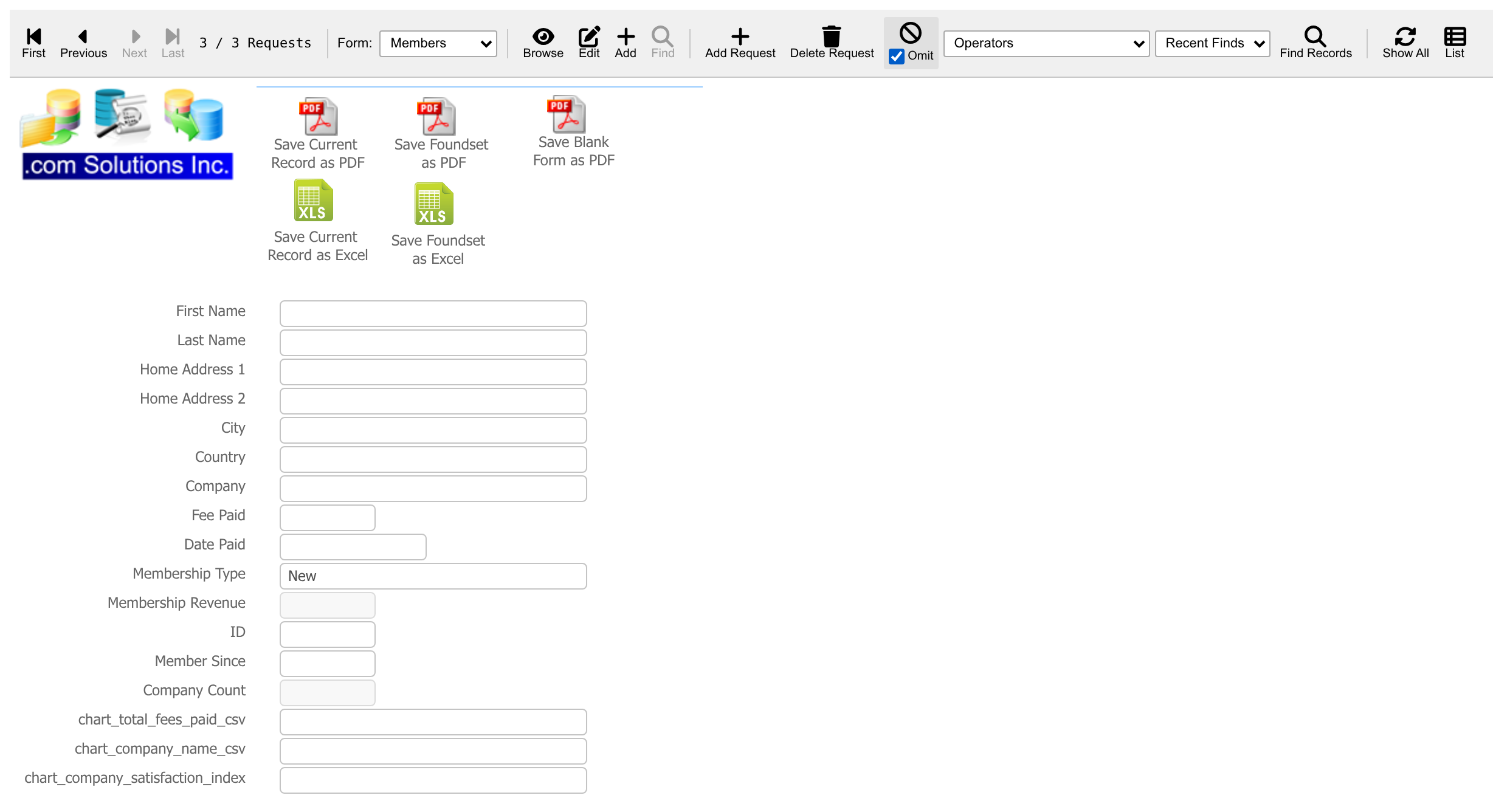
Each converted layout includes query.html and query_list.html templates to provide query-by-example processing. Fields, menus, radio button groups and checkboxes can be used when entering the Find Request criteria. In this example, request 1 finds members in New York, request 2 finds members in Japan, and request 3 omits members with the New membership type - returning the 2 matching records. Radio button groups and checkboxes are searchable in exactly the same manner as within the original FileMaker database, because the same return character item separator is used for the stored data. Calculated, container and related fields cannot be searched - any such criteria are skipped and listed in a warning message, rather than silently returning the wrong records. The primary keys for the records found by the query are stored within the found set session variable, and record navigation then works strictly within the found set. Clicking the Show All button clears the found set and displays all records. |
| Each base table is converted into a concrete Django model, and each FileMaker Table Occurrence becomes a Django Proxy Model over its base table model. A custom Manager on each proxy model acts as the Table Occurrence query layer, so multiple Table Occurrences on the same table never create duplicate database tables, and field and portal bindings work correctly within the generated web application. All converted models are unmanaged, so Django migrations never alter your existing data tables. |
Calculation Fields, Summaries, Globals, Auto-Enter and Validation
Stored and unstored calculation fields, summary fields, global fields, auto-enter options and field validation options are converted into Python code within the calculations module, which each model inherits. Helper functions reproduce the behavior of the original database, including case-insensitive text comparisons, day-number date arithmetic and rounding halves away from zero. Formulas which cannot be converted automatically are written as commented stubs containing the original formula and a TODO note for the developer - stored calculations keep their existing saved values rather than being cleared. |
Static and Dynamic Value Lists
| Every value list is written into a JSON configuration file using its exact original name. Static value lists keep their values in the original order, and field-based value lists display either 1 or 2 fields on the web form, just as they were configured in the Edit Value List dialog. The contents of either type of value list are also used for creating checkbox and radio button groups. |
Script Conversion & Layout Buttons
Layout buttons are converted along with their script steps, including: Go to Record [First/Previous/Next/Last], New Record, Delete Record, Duplicate Record, Enter Find Mode, Enter Browse Mode, Show All Records, Go to Layout, Export Records, Open URL, Print and Show Custom Dialog. Buttons are converted wherever they appear, including inside tab panels, slide panels and popovers. Each converted script is a Python module within the app/scripts directory, which runs on a script runtime providing the equivalent of the original script environment - script parameters and results, the current layout, mode, record, found count and error codes. |
Enabling the Forms Authentication option generates session-cookie sign-in for the Django application, built on django.contrib.auth. Passwords are stored using Django's built-in PBKDF2 password hashing. The first account created automatically receives the [Full Access] role. The 4 roles match the built-in FileMaker Privilege Set names: [Full Access] - View, Add, Edit and Delete records, plus administration of the User accounts. [Data Entry Only] - View, Add, Edit and Delete records. No administrative access. [Edit Only] - View and Edit records, no access to Add, Duplicate or Delete. No administrative access. [Read-Only Access] - View, Find, List and Export records only. No administrative access. |
| The Data Access option (All, ReadOnly or EditOnly) controls the Add, Edit and Delete records features within the generated web application. Unneeded views, routes and buttons are not generated at all, preventing data modification if it is not required in a publicly available web application. This makes it easy to generate a full-featured admin application, plus a 2nd Read-Only version of the web application for public access to the data. |
The generated application supports SQLite, PostgreSQL, Microsoft SQL Server and MySQL/MariaDB databases. Database connection values are read from environment variables for production deployments. FmPro Migrator can also transfer the FileMaker Pro tables and data into any of the supported SQL database servers. A check_conversion management command opens every page of the converted application and reports any page which fails, so problems are found before your users see them. |
FileMaker Layout Objects Supported
Field
Field with Value List Menu
Field with Checkbox
Field displayed as Radio Button Set
Container Field
Text
Button, Button Bar and Grouped Button
Portal
Line
Rectangle
Oval
Embedded Layout Image Graphics
Tab Controls (and embedded Tab Controls & Objects)
Slide Controls
Popovers
Merge Fields (including embedded text)
Tooltips
Layout Symbols (current date, current time, record number, user name)
WebViewer
Items Not Converted Automatically
| Feature | Status |
| Charts | Placeholder element with a developer note |
| WebViewers with complex URL calculations | Placeholder element with a developer note |
| Save Records as PDF button steps | Developer note |
| Calculated tooltips | Developer note |
Order FmPro Migrator | Contact Us | Layout Conversion Workbench - Visual FoxPro Conversions
There are multiple editions of FmPro Migrator available for testing and production:
Top Features
Nearly 100% accurate automated code conversions to over 50 programming languages/frameworks.
Replace six-figure consulting projects with a single fixed-price license.
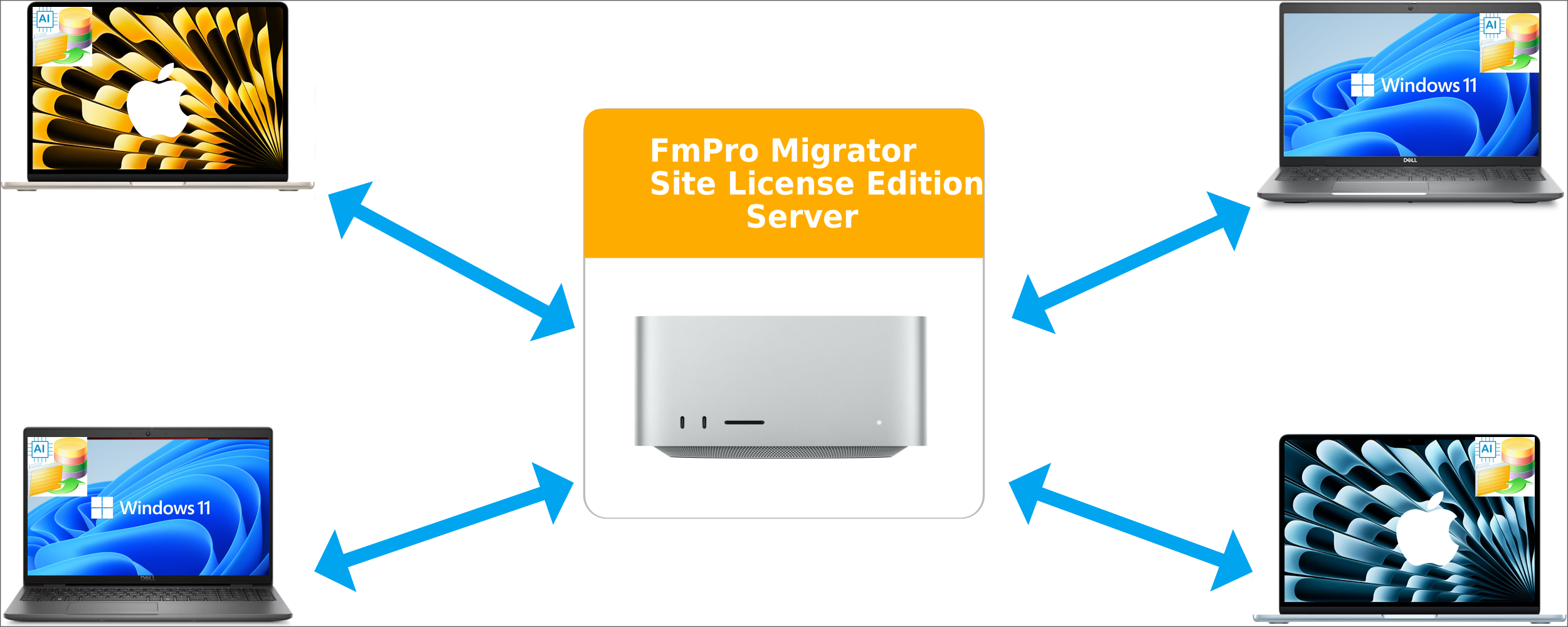
Keep proprietary IP safe - teams work from their own desktops, never sending code outside.
Extend your team’s reach by letting LLMs handle legacy conversions that developers don’t have time for.
Finely tuned hardware/software optimized for automated migration of legacy systems.
Training feature securely trains local LLMs on your code base without data leaving your data center.
Training feature improves quality of output by using faster local LLMs to improve delivery timeframe.
Especially important for complex conversion projects where the original legacy application developer(s) aren't available.
The bundled server can process millions of tokens daily, reducing the cost of using public LLMs.
Budget friendly licensing requires no CAPEX expense - in case you don't already have $50K of NVIDIA GPUs onsite.
Saves
thousands of dollars and many months of manual application development work.
Immediately solves the procrastination problem of starting a complex migration project.
The bundled server can process millions of tokens daily, reducing the cost of using public LLMs.
|
||
|
|
|
|
||